


It was about seven in the morning on a Saturday. My living room was a total wreck.
I stepped on a small toy by the couch and it poked right into my foot. There was a bit of a cracker mashed down into the rug. My dining chairs were all pulled out in the middle of the room with a big sheet tied to the backs of them. Right there in the center of all of it stood my six-year-old girl. She had this thick quilt in her arms and she was looking right at me with this look on her face like I had just done the worst thing in the world to her.
“Dad,” she said to me. She dropped the quilt right down on the rug. “That is not at all what I told you to do.”
We were playing this silly game we came up with. I told her I would be the computer and she had to be the one to tell me what to do. Her job was to get me to put up a blanket fort by giving me spoken directions. My job was to do only what she said, down to the letter, even if it made no sense at all.
So when she told me to go put the blanket on the chair, I did not pull it out. I did not hang it over the back to make a roof so she could crawl inside. I just took the folded quilt and set it right down on the seat.
She got so mad at me. But that was the whole point of it. I wanted her to see what happens when you give bad directions to a machine.
Most of us with kids spend half our days worrying about what the future is going to look like for them. We know tech is everywhere and it is not going away anytime soon. We want our kids to know how to use it so they do not fall behind when they get older. But at the same time, we do not want them staring at a screen all day long while their childhood slips right past them. We tell them to put down the tablet and go out in the yard, but then we feel bad that we are not getting them ready for school.
It feels like you cannot win either way.
The good news is that you do not have to choose one or the other. The best way to show a kid how this stuff works does not need a screen at all. It is already sitting right there in your living room.
What the Doctors Are Saying Now
For a long time, the advice we got from doctors about screens was pretty simple. You set a timer for sixty minutes, and when that timer went off, the TV had to go off with it.
That sounded nice on paper, but it does not really work in the real world anymore. Tech is in their classrooms from kindergarten on, it is in the toys they get for their birthdays, and it is how they call their grandparents to say hello on Sunday afternoons.
Because of that, the American Academy of Pediatrics changed how they talk about this stuff. If you go look at the AAP’s updated screen time guidelines, you will see that they moved away from just looking at the clock. Now they talk about what they call the “5 C’s.” That stands for the Child, the Content, Calm, Crowding Out, and Communication.
What they are really getting at is that we need to look at what kids are doing with that time, not just how many minutes have gone by. Are they watching something that helps them learn, or are they just sitting there zoning out to short videos on a loop? Are we sitting down to watch things with them so we can talk about what is happening on the screen?
The one piece of that list that really matters here is what they call “Crowding Out.”
The doctors want to make sure that the time our kids spend on a tablet is not taking away from the basic things they need to grow up healthy. Things like getting to bed on time, running around until they are tired, and sitting on the floor to play with other human beings face to face.
If a child spends three hours on an app that says it will teach them how to write code, they might pick up a few terms. But while they are doing that, they are sitting on the couch without moving a muscle. They are not talking to their brother, they are not building anything with their hands, and they are not learning how to deal with things when something in the real world falls down.
When you take those tech ideas and turn them into physical games, you do not have that problem. You get to teach them the basic ideas of how software works, but you do it while they are running around the house, making a mess, and moving their bodies.
Why Hands-on Play Works Better Than an App
Before a kid can make any sense of what a program is doing, they have to understand how to break a big job down into small parts. People who work in computer science call this computational thinking, but you do not need a degree to get what it means. It is just figuring out what has to happen first, what has to happen second, and what has to happen after that to get a job done.
An algorithm sounds like something you only see in a math book, but it is really just a list of steps. Think of it like a recipe for baking bread or the directions for putting together a toy from the store. A machine does not have a brain of its own. It cannot guess what you are trying to say, and it will not fill in the blanks for you if you forget to tell it something. It will just do whatever you told it to do, step by step, even if it ends up making a giant mess out of everything.
There are tons of apps in the app store that say they will teach this to four-year-olds with bright colors and little cartoon animals that dance when you tap them. But researchers who look at how young children learn have found that using real, physical objects works a whole lot better than tapping on glass.
Dr. Marina Umaschi Bers has spent years looking into this with young kids. What she found was that when kids got to use real, solid toys to work through these ideas instead of just looking at a screen, they picked it up much faster. In one of her studies, the kids who worked with physical objects did twenty-seven percent better on tests that measured these thinking skills than the kids who only used screens.
That makes all the sense in the world when you see it happen. When a child has to pick up a big cushion or pull a sheet across the room, they have to use their whole body to do it. They feel how heavy it is, they see how far it reaches, and their hands and eyes are working together the entire time. That kind of physical work helps their brains hold onto the lesson in a way that just moving a finger across a screen cannot do.
They get to see for themselves that tech is not some kind of magic trick that happens in the air. It is just a set of instructions that a real person had to sit down and write out.
How to Play the Blanket Fort Game
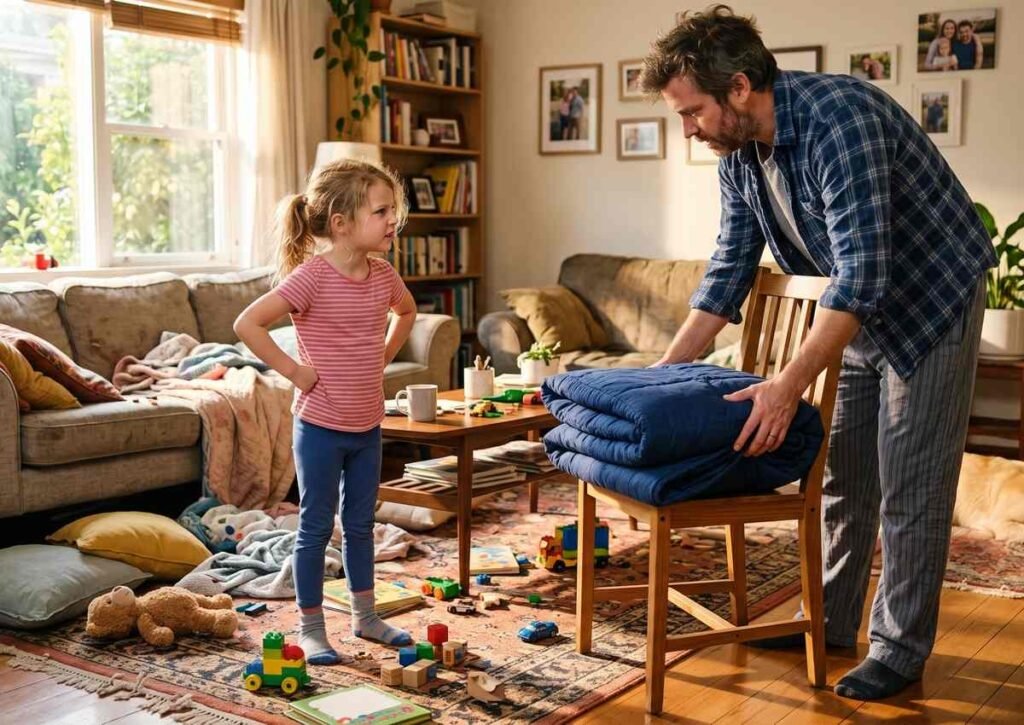
If you want to try this out at your house, you can set it up the exact same way I did with my daughter on Saturday morning.
You tell your child that you are going to be the machine, and they get to be the one in charge of telling you what to do. Their goal is to get a fort put together in the living room, but they cannot touch anything themselves. They have to tell you every single thing you need to do, one step at a time. And you have to make sure you only do what they say out loud, not what you think they want.
When my daughter told me to put the blanket on the chair and I just set the folded square on the seat, she was ready to pull her hair out. That kind of frustration is something every single person who writes software knows all too well. You write out what you think is a great set of instructions, you run it, and the machine does something totally crazy because you forgot to tell it one little detail.
“You did not give me all the steps,” I told her while she was standing there looking at the folded blanket on the chair. “A machine does not know what you want it to do in your head. It only knows what you tell it with your words. If it did not work, you have to go back and fix your steps.”
She thought for a second and then told me to put the blanket over the chair.
So I picked up the folded blanket, held it over the chair, and set it right on the top edge of the backrest. Of course, it slipped right off and fell behind the chair onto the floor.
“Dad, come on!” she said.
“I am just doing what you told me to do,” I told her. “You have to tell me how to open it, where to hold it, and where to lay it down.”
It took a minute, but she slowed down. She stopped rushing. You could almost see her thinking through each part of the job before she said a word.
Then she looked at me and said, “Okay. Pick up the blue blanket with two hands. Pull the two corners apart so it is wide and flat. Walk over to the two chairs. Lay the middle of the blanket across the tops of both chairs so it hangs down between them.”
I did it, and it worked. We had a roof over the chairs, and she was so proud of herself she could not stop smiling.
That back-and-forth does two things at once. It teaches them how to think through a problem, but it also teaches them that it is okay to mess up. People who work on computers call that debugging. It just means finding the spot where things went wrong and trying something else until it works the way you want it to.
Getting a sheet to stay put on a slippery couch is not easy, and it takes a lot of tries to get it right. But when kids see that making a mistake is just part of the game, they do not break down and cry when something goes wrong. They just take a breath, look at what happened, and try to fix it.
How to Teach Kids About Machine Learning Through Play
Once they get the hang of telling you what to do step by step, you can move on to the idea of how a machine learns from its mistakes.
The old way of writing software was to tell the machine every single rule ahead of time. But the tools being built today work in a very different way. Instead of giving them all the rules, we give them a goal to reach, we let them try to do it on their own, and when they mess up, they use what happened to do a little bit better on the next try.
If you have ever made a fort with your kids, you know that gravity always gets its way in the end. You can get the whole thing set up, and then a cushion will slide on the rug, a chair will tip back, or the family dog will walk by and pull the sheet down with his tail. In a second, the whole thing is flat on the floor.
Most of the time, that is when the tears start coming. But if you are ready for it, you can use that crash to teach them something big.
Instead of jumping up to fix it for them, sit down on the floor right in the middle of all the blankets and ask them what happened.
“The quilt was too heavy,” they might tell you. Or maybe, “The chair was too light and it fell over when we pulled on it.”
That is when you tell them that this is the exact same way these new computer tools learn how to do things. When an engineering team wants to teach a program how to steer a car down the road or tell the difference between a picture of a cat and a picture of a dog, that program gets it wrong hundreds of times before it gets it right. Every single time it gets it wrong, it takes that information and uses it to change what it does the next time.
In your living room, the fact that the heavy quilt pulled the little chair over is not a ruined game. It is just information you can use to build a better fort.
“Okay, so what should we change on the next one?” you can ask them.
They might go find a flat sheet that does not weigh as much. They might go get a couple of big, heavy books to sit on the chair so it does not slide on the floor. They might decide to leave the dog in the other room.
When they do that, they are doing the exact same thing a modern tech system does. They are taking what went wrong, learning from it, and trying again with a better plan. It shows them that when something falls apart, it does not mean they failed. It just means they have to try a different way.
Garbage In, Garbage Out
You can take that one step further by talking to them about what goes into these systems in the first place.
These programs are not magic boxes that know everything in the world. They only know what the people who made them put into them. In the tech world, people have had a saying for decades: Garbage In, Garbage Out. If you feed a machine bad information, it is going to give you bad work back every single time.
You can show your kids what that means just by looking at the pillows you have on the floor.
If they try to make the walls of their fort out of those tiny, soft pillows from the bed, the whole thing will cave in before they can even crawl inside. Those pillows are just too squishy to hold up any weight. But if they go grab the thick, firm cushions off the couch and stand them on their sides, they have a wall that can actually hold up a heavy sheet.
You can tell them, “If we use weak pillows, we get a fort that falls down. If the people making these computer tools give them bad facts to work with, the tools are going to make bad choices.”
That is one of the most important things we can teach our kids right now. They are growing up with tools that can make fake pictures, write fake stories, and answer questions in a way that sounds totally real. They need to know that just because something came off a computer does not mean it is right. If the people who built it gave it bad stuff to begin with, the answer it gives back is going to be just as useless as a wall made out of squishy pillows.
What AI Can and Cannot Do
While we are showing our kids how these tools work, we also need to make sure they know what these tools will never be able to do.
A machine can look through millions of facts in a second. It can play a game of chess without making a single mistake. It can draw a picture if you tell it what to draw.
But it does not have a heart, it does not have feelings, and it will never have an imagination.
When you get your fort all done, take a flashlight, crawl in through the front flap, and sit in the dark with your kid for a little while. Look at how the light comes through the sheet. Look at the pile of stuffed animals sitting in the corner by their feet.
To a machine, that fort is just four chairs and two pieces of cotton cloth with a certain weight and size.
To your kid, that fort is a rocket ship that is about to land on the moon. Or it is a cave hidden away in the woods where bears live. Or it is a boat sailing through a storm in the middle of the sea.
That is the biggest lesson in all of this. Our kids are going to see computers do all kinds of wild things over the next few years. They are going to see them write essays and draw pictures and do their math homework in two seconds flat. But they need to know that their own ability to come up with ideas is something a machine will never, ever have.
Even the most complex program in the world cannot do anything until a human being sits down and tells it what to do. The child sitting in that fort on your living room floor, deciding that the chairs are a rocket ship, is the one who has the real power. When we teach them that machines just follow instructions while people are the ones who have the ideas, they do not grow up being scared of tech. They grow up knowing that they are the ones in charge of it.
What Age Can You Start Teaching Kids About AI?
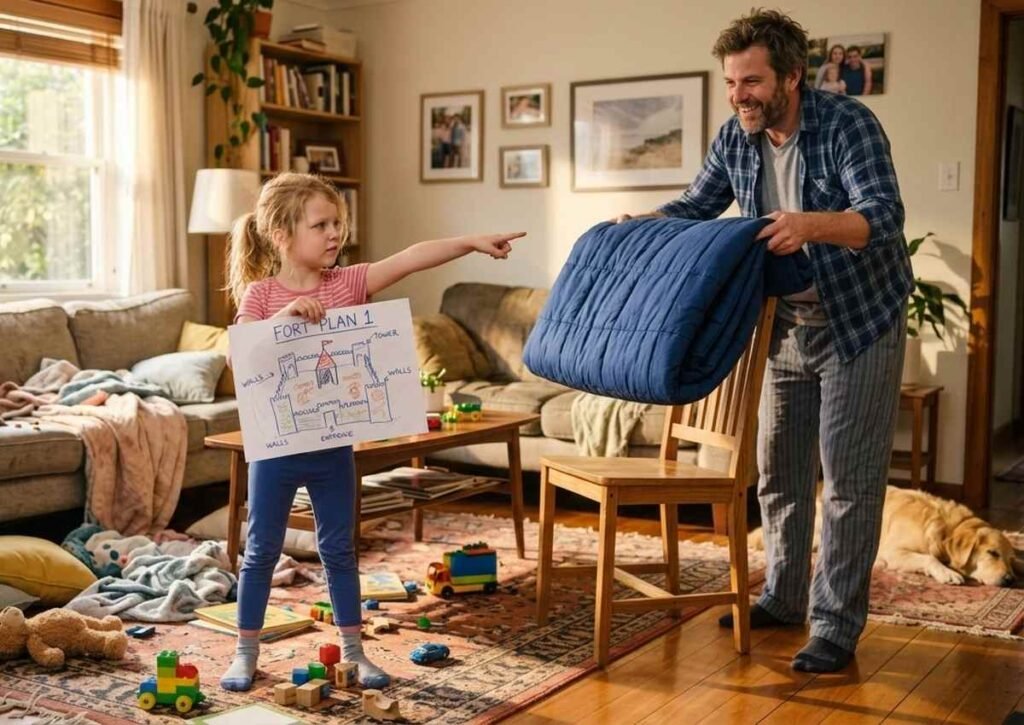
You do not have to wait until your child is old enough to understand words like “artificial intelligence” or “machine learning” before introducing them to the ideas behind these technologies.
For young children, the goal is not to teach them how to build an AI system. It is to help them understand some of the basic ideas that computers use: following instructions, noticing patterns, sorting things into groups, solving problems, and trying again when something does not work.
You can start introducing these ideas through everyday play as soon as your child can participate in simple games and follow basic instructions.
For children around 4 to 6 years old, keep things simple and physical. Ask them to give you step-by-step directions, sort toys by color or size, find patterns, or create a set of rules for a game. They do not need to know that these activities are connected to artificial intelligence. They are simply learning the thinking skills that can later help them understand technology.
For children around 6 to 8 years old, you can begin using words such as “algorithm,” “data,” “pattern,” and “debugging.” The explanations should still be connected to things they can see and touch. A blanket fort, a pile of laundry, or a tower of blocks can become a lesson about how instructions and information work.
Older children can start exploring more complicated questions. You can talk about how computers recognize patterns, how machine-learning systems use examples, why an AI system can make mistakes, and why information generated by a computer should not automatically be assumed to be true.
The most important thing is to match the explanation to the child’s age and curiosity.
You might start with a four-year-old by saying:
“Let’s pretend I’m a robot. Tell me exactly what to do.”
With a seven-year-old, you might say:
“What instructions would you give a computer to sort these toys?”
With an older child, you could ask:
“How do you think a computer could learn to tell the difference between a dog and a cat?”
You are teaching the same basic idea at different levels of complexity.
And you do not need a computer to do any of it.
For young children especially, screen-free play gives them a chance to physically experience concepts that can otherwise feel abstract. They can see what happens when an instruction is unclear, discover what happens when a rule changes, and learn that making a mistake is often the first step toward finding a better solution.
The goal is not to make your child an AI expert at an early age. It is to help them become comfortable asking questions about technology, understanding its limitations, and recognizing that computers are tools created and used by people.
7 Screen-Free AI Activities for Kids
7 Screen-Free AI Activities for Kids
You do not need a computer, tablet, or AI app to start teaching children the ideas behind artificial intelligence. Many of the concepts used in AI—such as following instructions, recognizing patterns, sorting information, solving problems, and learning from mistakes—can be introduced through simple play.
Here are seven screen-free activities you can try at home.
1. Play the Human Robot Game
AI concept: Algorithms and instructions
Choose a simple task, such as walking from one side of the room to the other, picking up a toy, or getting a snack.
Tell your child to pretend they are a robot and give you instructions. Follow their instructions as literally as possible.
If they say, “Walk over there,” ask, “Where exactly?”
If they say, “Pick up the toy,” you might pick up the wrong toy.
This usually turns into a lot of laughing, but it also teaches an important idea: computers need clear, specific instructions to complete a task.
You can then switch roles and let your child be the robot while you give the instructions.
What your child is practicing: Following steps, giving precise instructions, sequencing, and understanding simple algorithms.
2. Build a Blanket Fort
AI concept: Algorithms, problem-solving, and debugging
Give your child some blankets, pillows, chairs, and cushions and let them build a fort.
You can turn the activity into a simple problem-solving challenge by asking your child to explain how they plan to build it.
What should happen first?
Where should the blanket go?
What will hold it up?
What happens if the blanket falls?
When something does not work, encourage them to change one part of the plan and try again.
This is similar to debugging. In programming, debugging means finding a problem and changing something to make the system work better.
The goal is not to build the perfect fort on the first attempt. The goal is to help your child become comfortable with trying, noticing what went wrong, and trying again.
What your child is practicing: Planning, sequencing, problem-solving, debugging, and persistence.
3. Sort the Laundry
AI concept: Classification and data
Give your child a basket of clean laundry and ask them to sort it.
You can start with simple categories:
- Shirts and pants
- Socks and underwear
- Light and dark colors
- Big and small clothes
Then make it more interesting by changing the rules.
“Can you sort everything by color?”
“Now sort everything by who wears it.”
“Can you find all the clothes with buttons?”
This is a simple way to introduce classification. AI systems can also sort or classify information based on patterns and characteristics.
Your child does not need to understand the technical details. They are simply learning that information can be grouped according to rules.
What your child is practicing: Classification, sorting, recognizing characteristics, and organizing information.
4. Play an “If This, Then That” Game
AI concept: Conditional logic
Create simple rules using “if” and “then.”
For example:
“If I clap once, jump.”
“If I clap twice, freeze.”
“If I say ‘blue,’ touch something blue.”
You can make the rules more complicated as your child gets comfortable with them.
You could even let your child create the rules while you follow them.
This introduces a basic form of conditional thinking. Children begin to understand that an action can depend on a particular condition.
What your child is practicing: Logic, following rules, decision-making, and cause-and-effect thinking.
5. Go on a Pattern Hunt
AI concept: Pattern recognition
Patterns are everywhere.
Ask your child to find patterns around the house.
Look for patterns in:
- Clothing
- Tiles
- Books
- Toys
- Shapes
- Colors
- Sounds
- Numbers
You can also create your own pattern using blocks, buttons, crayons, or toys.
For example:
Red, blue, red, blue, red…
Ask your child what comes next.
Then make the pattern harder:
Red, blue, blue, red, blue, blue…
Once your child understands the game, let them create a pattern for you to solve.
Recognizing patterns is an important part of how many computer systems process information, and it is a useful thinking skill for children to develop.
What your child is practicing: Observation, pattern recognition, prediction, and logical thinking.
6. Debug a Broken Block Tower
AI concept: Debugging and problem-solving
Build a small tower with blocks and deliberately make something wrong with it.
Maybe the bottom block is too small.
Maybe the tower is leaning.
Maybe there are too many blocks on one side.
Ask your child:
“Why do you think it fell?”
“What could we change?”
“What should we try next?”
Let them experiment rather than immediately giving them the answer.
You can even make it a game where you pretend to be a robot that does not know why the tower keeps falling. Your child becomes the engineer who has to find the problem.
This teaches an important lesson: when something does not work, you do not have to give up. You can look at what happened, identify the problem, make a change, and try again.
What your child is practicing: Debugging, observation, problem-solving, experimentation, and persistence.
7. Read a Story and Let Their Imagination Take Over
AI concept: Human creativity, imagination, and storytelling
The last thing you can do is simply read together before your child goes to sleep.
Choose books about building things, making mistakes, trying again, solving problems, or using your imagination.
I wrote a book called The Perfect Fort for this exact reason. It is a simple story about building, experimenting, making mistakes, and trying again—ideas that fit naturally with the kind of thinking we want children to develop.
After reading, do not be afraid to let the conversation wander.
Ask your child:
“What would you build if you had a room full of blankets?”
“What could you make with pillows and chairs?”
“What would your perfect fort look like?”
“What would you put inside it?”
You might even turn off the lights, grab a flashlight, crawl under a sheet, and see what they start building.
Technology will be a huge part of our children’s lives. But you do not need to hand a screen to a four-year-old just so they do not fall behind.
Learning how to think, learning how to stay calm when things break, and knowing how to use your own mind to come up with ideas are skills children can develop without a device.
AI can generate stories, pictures, music, and other creative-looking things. But your child’s own experiences, memories, relationships, questions, and imagination are what make their play personal.
Sometimes the best AI activity is simply getting down on the living-room floor and asking:
“What are you building?”
You might be surprised by the answer.
Keep Technology in Perspective
The goal of screen-free AI activities is not to keep children away from technology forever. Technology will be an important part of their education and everyday lives.
The goal is to give children a strong foundation before they depend on a screen to do the thinking for them.
When children learn to follow instructions, recognize patterns, solve problems, notice mistakes, try different approaches, and come up with their own ideas, they are developing skills that can help them understand technology later.
And sometimes, the best place to start is not with an app or a computer.
It is with a blanket fort, a pile of blocks, a basket of laundry, a good book, or a flashlight under a sheet.
Felix M. Finley is a father, a software professional, and a writer who works on ways to help parents balance tech and real-world play. You can find more of his writing, along with family activities and resources, over at The Perfect Fort.