

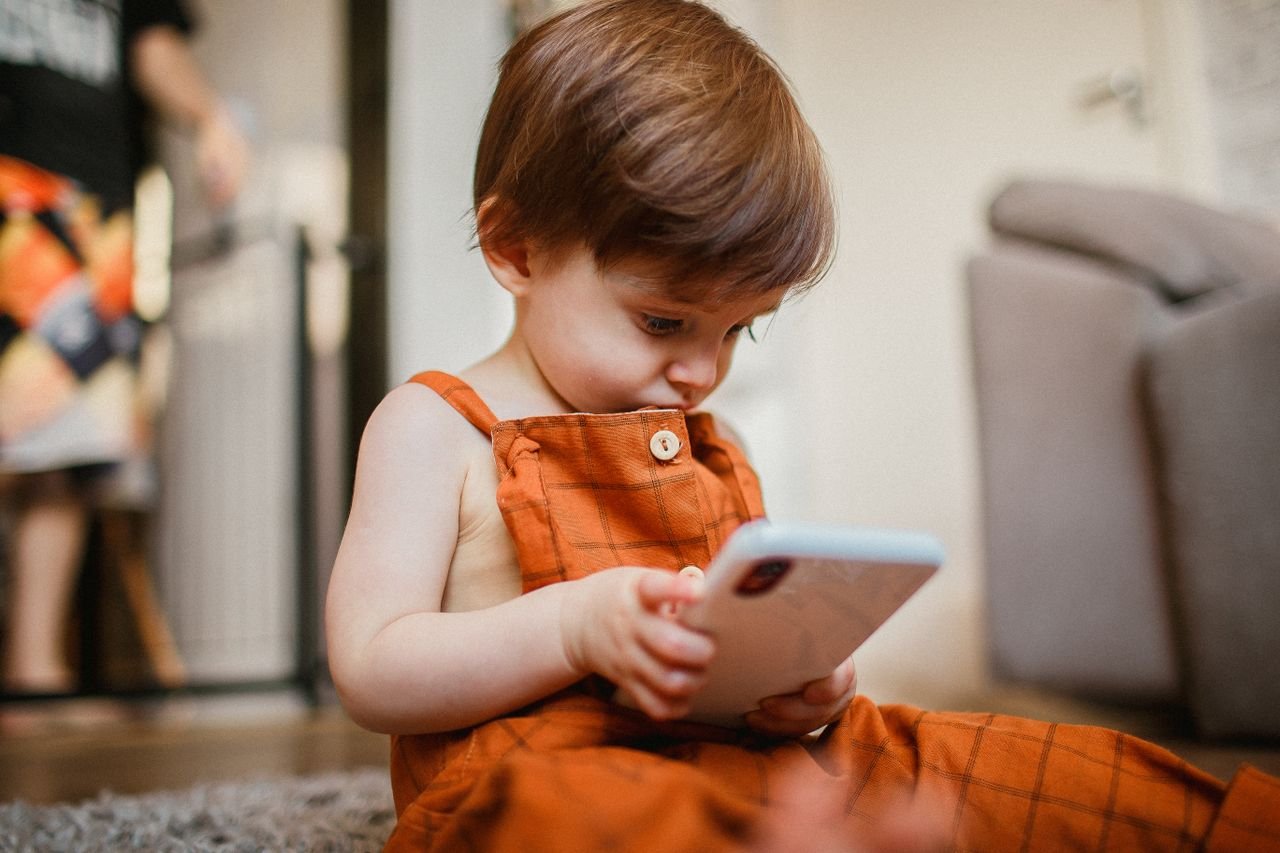
Screens have become an unavoidable part of modern family life. From online learning and educational apps to cartoons, video games, smartphones, and video calls with grandparents, children today are exposed to digital devices from an early age. While technology offers incredible learning opportunities, many parents are left wondering: How much screen time is too much?
If you’ve ever searched for screen time for kids by age, you’ve probably come across conflicting advice. Some sources suggest avoiding screens altogether, while others encourage educational content in moderation. The truth lies somewhere in between. The key isn’t to eliminate screens completely but to develop healthy screen time habits that support your child’s growth, learning, and overall well-being.
Research from the World Health Organization (WHO) and the American Academy of Pediatrics (AAP) shows that excessive screen time can affect sleep, physical activity, language development, emotional health, and even family relationships. However, when used wisely and under parental guidance, digital devices can also provide educational benefits and help children develop valuable skills.
In this comprehensive guide, we’ll cover:
- Doctor-recommended screen time limits by age
- WHO and AAP screen time recommendations
- How screen time affects children
- Signs of screen addiction in children
- Safe use of phones, tablets, TV, and gaming devices
- Tips to reduce screen time without daily battles
- Healthy screen-free activities for every age group
- Answers to the most common parent questions about kids and mobile phones
Whether you’re parenting a baby, toddler, preschooler, school-age child, or teenager, this guide will help you make informed decisions and create a healthy balance between technology and real-life experiences.
What Counts as Screen Time?
Before setting healthy boundaries, it’s important to understand what actually counts as screen time.
Many parents think only television or cartoons count, but screen exposure includes almost every digital device a child uses throughout the day. This includes entertainment, education, communication, and even some forms of play.
Different Types of Screen Time
Not all screens are used the same way. Understanding the different types can help parents make better decisions about how much screen time is appropriate.
Television
Watching cartoons, movies, educational programs, sports, or streaming services all count as screen time. Traditional TV often involves passive viewing, where children simply watch without interacting.
Smartphones
Smartphones are one of the biggest sources of screen exposure today. Children may use them for:
- Watching YouTube
- Playing games
- Video chatting
- Learning apps
- Taking photos
- Listening to music
- Reading stories
Since smartphones are portable and always available, they can easily lead to excessive use if limits aren’t established.
Tablets
Many parents introduce tablets because they offer interactive educational content. While tablets can support learning, they still contribute to overall screen time recommendations and should be used in moderation.
Computers and Laptops
Children increasingly use computers for:
- Online classes
- Homework
- Coding
- Research
- Educational games
School-related screen time is different from recreational screen time, but it’s still important to balance it with breaks and physical activity.
Video Games
Gaming can improve certain cognitive skills like problem-solving and coordination, but excessive gaming may reduce physical activity and interfere with sleep if not monitored.
Video Calls
Video calls with grandparents, relatives, or friends are generally considered beneficial because they encourage real-time social interaction. Organizations like the AAP consider these different from passive entertainment, especially for younger children.
Educational Apps
Interactive learning apps that encourage participation, creativity, and problem-solving are generally healthier than passive video watching. However, they still count toward daily screen exposure.
Passive vs Active Screen Time
One of the biggest misconceptions is that all screen time has the same impact.
In reality, the quality of screen time often matters just as much as the quantity.
Passive Screen Time
Passive screen time involves simply watching content without actively participating.
Examples include:
- Watching cartoons
- Streaming videos
- Watching TV shows
- Endless scrolling through short videos
- Autoplay YouTube content
Too much passive viewing has been associated with reduced physical activity, shorter attention spans, and fewer opportunities for creative play.
Active Screen Time
Active screen time encourages children to think, create, or interact.
Examples include:
- Learning apps
- Coding games
- Drawing applications
- Educational quizzes
- Virtual science experiments
- Music learning apps
- Interactive language-learning programs
Active screen use, especially when parents participate, is generally considered more beneficial than passive viewing.
Educational Screen Time
Parents often ask whether educational screen time for children is different.
The answer is yes—but only when:
- The content is age-appropriate.
- It encourages learning.
- Parents watch or participate with the child.
- Screen use doesn’t replace sleep, outdoor play, reading, or family interaction.
Simply labeling a video as “educational” doesn’t automatically make unlimited viewing healthy.
Expert Tip: Not all screen time affects children equally. Interactive, educational activities with parental involvement are generally more beneficial than passive entertainment. Quality, context, and balance matter more than simply counting minutes.
Why Screen Time Matters During Child Development
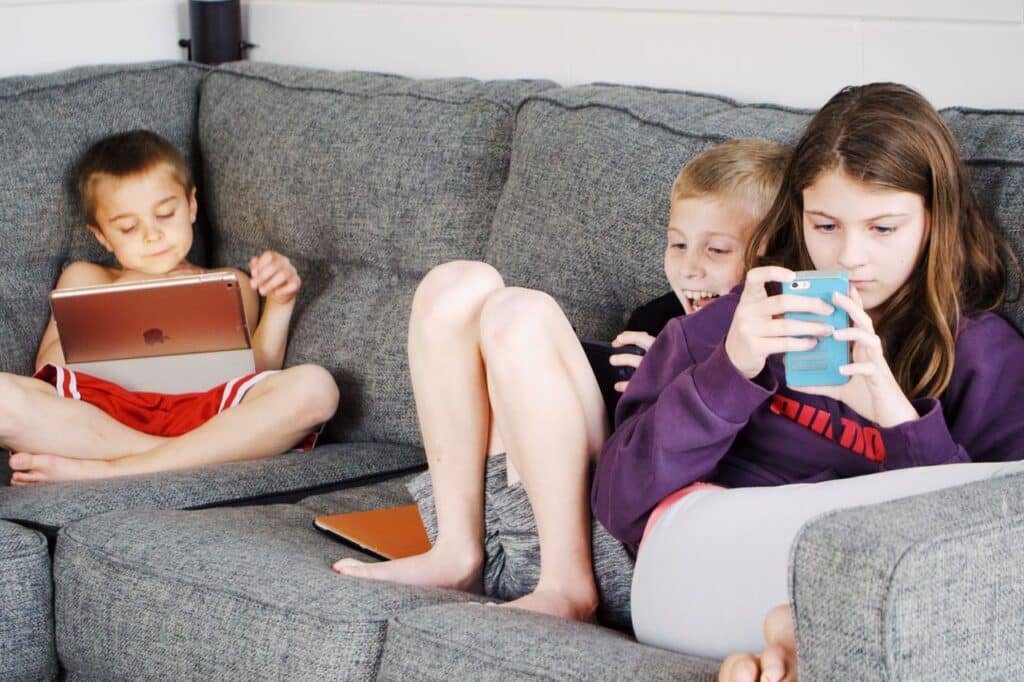
The early years of a child’s life are a period of rapid brain development. During this time, children learn best through real-world experiences such as talking, playing, exploring, reading, and interacting with caregivers.
While digital technology has become an important part of modern life, excessive screen exposure can reduce opportunities for these essential developmental experiences.
Understanding how screen time affects children helps parents make informed choices that support healthy growth.
Brain Development
A child’s brain develops rapidly during the first five years of life. Every conversation, hug, game, story, and outdoor adventure strengthens important neural connections.
Excessive passive screen use may replace experiences that build:
- Language skills
- Emotional regulation
- Problem-solving
- Creativity
- Social interaction
Research suggests that prolonged recreational screen exposure, especially in very young children, may be associated with delayed cognitive development and reduced attention in some children. However, the overall impact depends on factors such as content quality, parental involvement, sleep, physical activity, and the child’s overall environment.
That’s why pediatric experts emphasize balancing digital activities with hands-on learning.
Language Skills
Young children learn language primarily through conversations—not by watching screens.
When babies and toddlers hear parents talking, singing, reading books, and responding to their sounds, their brains build the foundations for communication.
Excessive passive viewing may reduce these valuable interactions.
Parents searching for screen time and language development or does screen time affect speech development should know that some studies have linked heavy screen exposure—particularly in infancy and toddlerhood—with delays in expressive language. While screen time alone is rarely the sole cause, replacing real-life interaction with screens can limit opportunities for language-rich experiences.
To support healthy language development:
- Talk frequently with your child.
- Read together every day.
- Sing songs.
- Ask questions during play.
- Limit passive screen viewing, especially before age two.
Sleep Quality
One of the most common concerns among parents is screen time before bedtime.
Digital devices emit blue light, which can interfere with melatonin production—the hormone that helps regulate sleep.
Late-night screen use has been linked to:
- Difficulty falling asleep
- Shorter sleep duration
- Poor sleep quality
- Frequent night waking
- Daytime tiredness
Sleep is essential for learning, emotional regulation, growth, and memory. Establishing a screen-free bedtime routine can significantly improve sleep quality for both children and teenagers.
Physical Health
Children naturally need movement throughout the day.
When screen use replaces active play, it may contribute to:
- Reduced physical activity
- Increased sedentary behavior
- Weight gain over time
- Poor posture
- Reduced muscle strength
- Less time outdoors
Health experts recommend balancing daily screen time limits with plenty of active play, especially for younger children.
Encourage activities such as:
- Cycling
- Running
- Dancing
- Swimming
- Playing at the park
- Outdoor games
- Family walks
These activities support healthy growth while reducing dependence on digital entertainment.
Eye Health
Many parents worry about blue light effects on children and whether screens damage eyesight.
While current evidence does not show that blue light from everyday device use permanently damages children’s eyes, extended screen use can contribute to digital eye strain.
Common symptoms include:
- Dry eyes
- Blurred vision
- Eye fatigue
- Headaches
- Frequent blinking
- Difficulty focusing
Parents can help protect eye health by encouraging regular breaks using the 20-20-20 rule:
Every 20 minutes, look at something about 20 feet away for at least 20 seconds.
Good lighting, proper screen distance, and limiting prolonged recreational screen use can also reduce discomfort.
Emotional Development
Children develop emotional intelligence by interacting with people—not screens.
Playing with family members teaches:
- Empathy
- Sharing
- Patience
- Cooperation
- Emotional regulation
- Problem-solving
Excessive screen exposure may reduce opportunities to practice these important social and emotional skills. Some children may also become more irritable or frustrated when asked to stop using devices, particularly if screen time has become their primary source of entertainment.
Building routines that include conversation, imaginative play, and family activities helps support healthy emotional development.
Social Skills
Face-to-face interaction remains one of the most important ways children learn to communicate effectively.
Through real-world interactions, children practice:
- Making eye contact
- Reading facial expressions
- Taking turns in conversations
- Resolving conflicts
- Building friendships
If digital entertainment consistently replaces these experiences, children may have fewer opportunities to strengthen their social skills.
Parents can encourage healthy social development by balancing technology with:
- Family meals without devices
- Playdates
- Outdoor games
- Group activities
- Reading together
- Creative play
- Shared hobbies
Doctor Recommended Screen Time by Age
One of the most common questions parents ask is, “What is the recommended screen time for kids?” While there’s no one-size-fits-all answer, leading health organizations such as the World Health Organization (WHO) and the American Academy of Pediatrics (AAP) provide evidence-based screen time recommendations based on a child’s age and developmental stage.
The goal isn’t just to limit screens—it’s to ensure that digital media doesn’t replace sleep, physical activity, learning, family interaction, or imaginative play.
Recommended Screen Time by Age (Quick Reference)
| Age Group | Doctor-Recommended Screen Time | Key Recommendations |
|---|---|---|
| Under 18 months | Avoid screen time (except video calls) | Focus on face-to-face interaction, play, and responsive caregiving. |
| 18–24 months | Introduce only high-quality educational content with a parent | Co-view every session and avoid passive viewing. |
| 2–5 years | Up to 1 hour per day of high-quality content | Prioritize educational content, active play, and consistent routines. |
| 6–12 years | Create consistent limits based on school, sleep, and physical activity | Balance learning, entertainment, outdoor play, and family time. |
| 13–18 years | No fixed daily limit, but healthy boundaries are essential | Manage social media, gaming, sleep, and online safety while encouraging offline activities. |
Important: These recommendations apply mainly to recreational screen time. Schoolwork, homework, or necessary online learning may require additional screen use, but children should still take frequent breaks and maintain healthy daily routines.
Understanding the WHO and AAP Screen Time Guidelines
Both organizations emphasize that quality matters as much as quantity.
Their recommendations encourage parents to:
- Prioritize real-world play over passive entertainment.
- Choose educational, age-appropriate content.
- Watch together whenever possible.
- Avoid screens during meals.
- Keep bedrooms screen-free at night.
- Maintain healthy sleep schedules.
- Encourage daily physical activity.
- Set a positive example by managing their own screen habits.
Instead of counting every minute, think about whether screen use is replacing activities that are essential for healthy development.
Screen Time Recommendations for Babies (0–18 Months)

The first 18 months of life are critical for brain development. During this stage, babies learn primarily through touch, movement, eye contact, sounds, and responsive interactions with caregivers.
For this reason, pediatricians generally recommend avoiding screen time for babies, except for occasional video calls with family members.
Why Babies Don’t Need Screens
Babies develop by exploring the world around them—not by watching it on a screen.
Simple daily activities such as:
- Smiling at parents
- Listening to voices
- Crawling
- Playing with toys
- Reading picture books
- Singing songs
- Exploring different textures
provide much richer learning experiences than digital media.
No educational app or video can fully replace real-life human interaction during infancy.
Brain Development During Infancy
During the first year of life, millions of neural connections are formed every second.
These connections are strengthened through experiences like:
- Eye contact
- Talking
- Singing
- Touch
- Play
- Emotional bonding
When babies spend excessive time in front of screens, they may miss valuable opportunities to engage in these developmental experiences.
This is why experts discourage passive screen exposure during infancy.
Screen Time and Language Development
Many parents search for answers to questions like:
- Can screen time delay speech?
- Does screen time affect language development?
Research suggests that babies learn language most effectively through responsive conversations with caregivers. Hearing words in a video is not the same as engaging in a real conversation.
For example:
Instead of watching a video about animals, a baby benefits more when a parent points to a dog and says:
“Look! That’s a dog. The dog says woof!”
These back-and-forth interactions build vocabulary, communication skills, and social understanding.
What About Educational Videos for Babies?
Many videos claim to boost intelligence or teach babies colors, numbers, and alphabets.
However, pediatric experts generally agree that infants learn far better from direct interaction than from digital media.
Rather than relying on screens, parents can encourage learning by:
- Reading board books
- Singing nursery rhymes
- Playing peek-a-boo
- Naming everyday objects
- Exploring nature together
- Talking during diaper changes and feeding
These activities support healthy cognitive and language development without the need for screens.
Is Video Calling Safe?
Yes.
Video chatting with grandparents, relatives, or loved ones is generally considered an acceptable exception for babies.
Unlike passive videos, video calls involve:
- Real conversations
- Facial expressions
- Emotional bonding
- Responsive communication
Parents can make video calls even more engaging by encouraging family members to sing songs, read stories, or play simple games during the call.
Tips for Parents of Babies
To promote healthy development:
- Prioritize tummy time and free movement.
- Read aloud every day.
- Talk to your baby throughout the day.
- Avoid using screens to calm crying whenever possible.
- Keep televisions off in the background when not actively watching.
- Encourage sensory play with safe household objects and toys.
- Spend plenty of time outdoors.
Remember, babies don’t need entertainment—they need interaction.
Screen Time for Toddlers (18–24 Months)
As toddlers become curious about the world, parents often wonder whether it’s okay to introduce digital devices.
The answer is yes—but carefully and intentionally.
Experts recommend introducing only high-quality educational screen time for children during this stage, and always with active parental involvement.
Why Parent Co-Viewing Matters
Watching together is one of the most effective ways to make screen time meaningful.
Instead of handing your toddler a tablet alone, sit beside them and interact with the content.
For example:
If a video shows farm animals, ask:
- Which animal is that?
- What sound does the cow make?
- Can you point to the chicken?
- What color is the duck?
These conversations help toddlers connect what they see on the screen with the real world.
Choose High-Quality Educational Content
Not every app or cartoon is educational simply because it’s marketed that way.
Look for content that:
- Encourages problem-solving.
- Uses simple language.
- Promotes creativity.
- Teaches letters, numbers, shapes, or colors.
- Avoids fast-paced editing and excessive advertisements.
- Matches your child’s developmental level.
Programs that encourage participation are generally more beneficial than passive viewing.
Avoid Solo Screen Time
Giving a toddler unrestricted access to a smartphone or tablet may lead to:
- Longer viewing sessions
- Reduced parent-child interaction
- Difficulty transitioning away from devices
- Increased frustration when screens are removed
Instead, make screen time a shared activity.
Parents remain the best teachers during these early years.
Establish Healthy Screen Time Habits Early
Toddlers learn routines quickly.
Develop healthy habits from the beginning by:
- Watching at consistent times.
- Avoiding screens during meals.
- Keeping devices out of bedrooms.
- Turning screens off at least one hour before bedtime.
- Encouraging active play before screen time.
- Using screens intentionally rather than as a default activity.
Healthy routines established during toddlerhood often continue into later childhood.
Screen Time and Sleep
Many toddlers use screens before naps or bedtime because parents believe they help children relax.
In reality, screen exposure before sleep can make it harder for toddlers to fall asleep.
Instead, create a calming bedtime routine that includes:
- Bath time
- Storybooks
- Soft music
- Gentle conversation
- Cuddles
- Dim lighting
These routines help toddlers associate bedtime with relaxation rather than digital stimulation.
Healthy Alternatives to Screen Time for Toddlers

If you’re trying to reduce screen time in kids, toddlers often respond well to engaging hands-on activities.
Try:
- Building blocks
- Coloring
- Water play
- Play dough
- Bubble games
- Pretend cooking
- Dancing to music
- Sorting shapes
- Indoor obstacle courses
- Outdoor walks
- Ball games
- Gardening with parents
Simple activities often hold a toddler’s attention longer than expected when parents actively participate.
Daily Routine for Toddlers
A predictable routine helps balance screen time limits with learning, play, and rest.
| Time | Activity |
|---|---|
| Morning | Breakfast, free play, outdoor walk |
| Mid-Morning | Storytime, puzzles, sensory activities |
| Afternoon | Nap, independent play, music |
| Late Afternoon | Up to 20–30 minutes of educational screen time with a parent (if used) |
| Evening | Family time, dinner, bath, bedtime stories, sleep |
Parent Tip: Instead of asking, “Do you want to stop watching?”, give your toddler advance notice such as, “We’ll watch one more song, then it’s time to play with your blocks.” Predictable transitions often reduce tantrums.
Screen Time for Preschoolers (2–5 Years)
The preschool years are filled with curiosity, imagination, and rapid learning. Children between 2 and 5 years begin developing language, creativity, social skills, and problem-solving abilities at an incredible pace. During this stage, parents often introduce educational apps, cartoons, and learning videos, making it essential to follow screen time recommendations that support healthy development.
According to the American Academy of Pediatrics (AAP) and the World Health Organization (WHO), preschoolers should have no more than one hour of high-quality screen time per day. However, the emphasis should always be on quality over quantity.
Why Limiting Screen Time Is Important
Preschoolers learn best through hands-on experiences such as:
- Building blocks
- Pretend play
- Drawing and coloring
- Outdoor exploration
- Reading books
- Singing songs
- Talking with family members
When excessive screen time replaces these activities, children may miss valuable opportunities to develop essential life skills.
Choosing High-Quality Educational Content
Not all digital content is equally beneficial. The best educational screen time for children encourages active participation rather than passive watching.
Look for programs or apps that:
- Teach numbers, letters, shapes, and colors.
- Encourage problem-solving and creativity.
- Promote language development.
- Use slow, age-appropriate pacing.
- Have minimal advertisements.
- Inspire children to interact instead of simply watching.
Whenever possible, watch together and ask questions like:
- “What do you think will happen next?”
- “Can you count the animals?”
- “Which color do you see?”
- “How would you solve that problem?”
This transforms passive viewing into an engaging learning experience.
Establish Healthy Screen Time Habits
Preschoolers thrive on routines. Consistent rules help children understand when and how screens can be used responsibly.
Some healthy habits include:
- Watching at the same time each day.
- Turning off devices during meals.
- Keeping bedrooms screen-free.
- Avoiding screens at least one hour before bedtime.
- Taking breaks every 20–30 minutes.
- Prioritizing homework, reading, and active play before recreational screen time.
Children are more likely to accept limits when they are predictable and consistently followed.
Encourage Plenty of Active Play
Physical activity is just as important as learning.
Aim to include activities such as:
- Running
- Jumping
- Dancing
- Cycling
- Ball games
- Nature walks
- Playground visits
- Obstacle courses
These activities improve coordination, strengthen muscles, and support healthy brain development while naturally reducing recreational screen time.
Screen-Free Activities for Preschoolers
When children say, “I’m bored,” it doesn’t always mean they need a screen.
Instead, try:
- Building forts
- Finger painting
- Water play
- Gardening
- Puppet shows
- Treasure hunts
- Baking together
- Storytelling
- Dress-up games
- Clay modeling
- Sticker books
- Simple science experiments
Many parents are surprised to discover that once children become engaged in creative play, they often forget about screens altogether.
Screen Time for School-Age Kids (6–12 Years)
As children enter school, screens become an important part of learning. Homework, online classes, educational research, and communication all contribute to daily screen exposure.
This is why screen time for school-age children should focus on balance rather than strict hourly limits.
Instead of asking only, “How many hours are they using a screen?” parents should also ask:
- Are they getting enough sleep?
- Are they physically active every day?
- Are they spending time with family?
- Are they completing homework?
- Are they reading books?
- Are they maintaining friendships?
If the answer to these questions is yes, screen use is more likely to be healthy.
Separate Educational and Recreational Screen Time
One of the biggest challenges for parents is distinguishing between school-related and entertainment screen use.
Examples of educational screen time include:
- Homework
- Online classes
- Research projects
- Coding
- Educational videos
- Virtual museums
- Learning languages
Recreational screen time includes:
- Watching YouTube
- Gaming
- Streaming movies
- Social media
- Browsing entertainment content
While educational use is often necessary, recreational use should still have reasonable boundaries.
Create Daily Screen Time Rules
Healthy screen time limits are easier to follow when the entire family follows clear expectations.
Some effective rules include:
- Homework before entertainment.
- No screens during meals.
- No devices in bedrooms overnight.
- Family activities before gaming.
- Daily outdoor play.
- Screen-free family time every evening.
- Devices charged outside bedrooms.
Consistency is more important than strict punishment.
Managing Gaming
Video games are one of the most common reasons parents worry about screen addiction in children.
Gaming isn’t necessarily harmful.
In fact, many games improve:
- Problem-solving
- Strategic thinking
- Hand-eye coordination
- Teamwork
- Creativity
However, excessive gaming may interfere with:
- Homework
- Physical activity
- Sleep
- Social interaction
- Family relationships
Parents should:
- Set daily or weekly gaming limits.
- Choose age-appropriate games.
- Keep gaming devices in shared spaces.
- Encourage breaks every hour.
- Balance gaming with offline hobbies.
Managing YouTube and Streaming Platforms
YouTube can be both educational and entertaining.
However, autoplay and endless recommendations often encourage excessive viewing.
Parents can reduce unhealthy viewing by:
- Creating approved playlists.
- Disabling autoplay.
- Watching together.
- Using supervised accounts.
- Discussing what children watch.
- Setting viewing time limits.
Teaching children to think critically about online content is just as important as limiting viewing time.
Teach Digital Responsibility
Children between 6 and 12 years are beginning to develop independence.
This is the ideal age to teach:
- Internet safety.
- Respectful online communication.
- Protecting personal information.
- Recognizing scams.
- Asking permission before downloading apps.
- Reporting inappropriate content.
Healthy digital parenting tips begin with open conversations rather than strict rules alone.
Encourage Offline Hobbies
The best way to reduce screen time isn’t simply taking devices away—it’s offering enjoyable alternatives.
Examples include:
- Sports
- Music lessons
- Swimming
- Drawing
- Reading
- Photography
- LEGO building
- Chess
- Gardening
- Cooking
- Science kits
Children who discover hobbies they genuinely enjoy naturally spend less time on screens.
Screen Time for Teenagers (13–18 Years)
Teenagers live in a world where smartphones, laptops, gaming consoles, and social media are part of everyday life.
Unlike younger children, there is no universally recommended daily time limit for teens. Instead, doctors encourage parents to focus on healthy habits and responsible digital behavior.
The goal is not to eliminate technology but to ensure it doesn’t negatively affect sleep, academics, mental health, physical activity, or family relationships.
Social Media and Mental Health
Social media helps teenagers connect with friends, express creativity, and stay informed.
However, excessive use may also contribute to:
- Anxiety
- Poor self-esteem
- Fear of missing out (FOMO)
- Cyberbullying
- Sleep disruption
- Constant comparison with others
Parents should encourage teenagers to:
- Follow positive accounts.
- Limit endless scrolling.
- Take regular digital breaks.
- Discuss online experiences openly.
- Report bullying immediately.
Open communication is often more effective than constant monitoring.
Smartphone Usage
Many parents wonder:
“What age should kids get smartphones?”
There is no perfect age.
Instead, consider whether your teenager demonstrates responsibility by:
- Following family rules.
- Completing homework independently.
- Managing time well.
- Understanding online safety.
- Respecting privacy.
A smartphone should be viewed as a responsibility rather than a reward.
Healthy Gaming Habits
Gaming remains a popular hobby during adolescence.
Healthy gaming includes:
- Time limits.
- Regular movement breaks.
- No gaming late at night.
- Balanced daily routines.
- Respectful online behavior.
Parents should be concerned when gaming begins replacing:
- Schoolwork
- Friendships
- Exercise
- Sleep
- Family interaction
Online Learning
Teenagers often spend several hours each day using computers for school.
Parents can reduce the effects of prolonged screen exposure by encouraging:
- Frequent breaks.
- Good posture.
- Proper lighting.
- Ergonomic seating.
- Stretching every hour.
- Looking away from the screen regularly.
These habits reduce fatigue and improve concentration.
Encourage Digital Wellbeing
Healthy technology habits include:
- Turning off unnecessary notifications.
- Scheduling screen-free periods.
- Limiting phone use during meals.
- Keeping devices outside bedrooms.
- Prioritizing sleep.
- Spending time outdoors daily.
- Practicing hobbies without screens.
Teenagers are more likely to follow these habits when parents model them consistently.
Family Media Agreements
Rather than imposing rules, involve teenagers in creating a family media agreement.
Discuss topics such as:
- Daily screen time expectations.
- Homework priorities.
- Gaming schedules.
- Social media use.
- Phone-free family time.
- Bedtime routines.
- Online safety.
- Consequences for breaking agreed rules.
Collaborative decision-making often leads to better long-term habits and fewer conflicts.
Quick Comparison: Healthy Screen Habits by Age
| Age Group | Recommended Focus | Parent’s Role |
|---|---|---|
| 0–18 months | No recreational screen time | Talk, play, read, sing, and interact face-to-face. |
| 18–24 months | Limited educational content | Always co-view and discuss what your child is watching. |
| 2–5 years | Up to 1 hour of high-quality content | Set routines, encourage imaginative play, and watch together. |
| 6–12 years | Balanced recreational use alongside schoolwork | Establish family rules, monitor content, and promote offline hobbies. |
| 13–18 years | Healthy digital habits and responsible technology use | Guide, communicate openly, and encourage balance rather than strict control. |
Signs Your Child Is Getting Too Much Screen Time

Many parents ask, “How much screen time is too much?” While following doctor-recommended screen time by age is a good starting point, every child responds differently to digital media.
Instead of focusing only on the number of hours, it’s equally important to watch for behavioral, emotional, and physical signs that screen use is interfering with your child’s daily life.
If your child regularly shows several of the following symptoms, it may be time to reassess their screen time limits and establish healthier digital habits.
Emotional Signs
Children who spend excessive time on screens may experience noticeable emotional changes.
Watch for:
- Frequent irritability when not using devices
- Mood swings after screen time
- Tantrums when asked to stop watching
- Difficulty entertaining themselves without screens
- Anxiety when separated from digital devices
- Constant requests for “just five more minutes”
While occasional frustration is normal, repeated emotional dependence on screens may indicate unhealthy usage patterns.
Physical Signs
Too much screen exposure often reduces movement and increases sedentary behavior.
Common physical symptoms include:
- Eye strain
- Dry or watery eyes
- Frequent headaches
- Neck or back pain
- Poor posture
- Weight gain due to reduced activity
- Fatigue throughout the day
Parents searching for blue light effects on children should know that although normal device use hasn’t been proven to permanently damage children’s eyes, prolonged viewing without breaks can contribute to digital eye strain.
Sleep Problems
One of the strongest warning signs of excessive screen use is poor sleep.
Children may:
- Struggle to fall asleep
- Wake frequently during the night
- Sleep fewer hours
- Feel tired during the day
- Resist bedtime
- Want to use devices late at night
Using screens before bedtime can suppress melatonin production and make it more difficult for children to relax.
Creating a screen-free bedtime routine is one of the simplest ways to improve sleep quality.
Changes in Attention and Learning
Children who spend excessive recreational screen time may find it harder to:
- Focus on homework
- Complete tasks
- Pay attention during conversations
- Follow instructions
- Stay engaged in offline activities
Fast-paced entertainment can make slower activities like reading or classroom learning seem less exciting.
This doesn’t mean screens directly cause attention disorders, but excessive use may contribute to attention difficulties in some children.
Reduced Interest in Offline Activities
Healthy children naturally enjoy a variety of activities.
If your child consistently chooses screens over:
- Outdoor play
- Reading
- Sports
- Art
- Family time
- Friends
- Hobbies
it may be a sign that digital entertainment is beginning to replace healthy experiences.
Social Changes
Real-world friendships remain essential for healthy development.
Excessive screen use may lead to:
- Less face-to-face interaction
- Difficulty communicating
- Reduced family conversations
- Isolation
- Limited interest in group activities
Parents should encourage children to maintain a healthy balance between online and offline relationships.
Screen Time Warning Signs Checklist
Use this quick checklist to evaluate your child’s digital habits.
Your child may be getting too much screen time if they:
✅ Become upset when devices are taken away
✅ Frequently ask for more screen time
✅ Skip outdoor play
✅ Have difficulty falling asleep
✅ Show declining school performance
✅ Spend less time with friends or family
✅ Lose interest in hobbies
✅ Experience headaches or eye strain
✅ Eat meals while watching screens
✅ Hide screen use from parents
If you answered “Yes” to several of these, it may be time to gradually reduce recreational screen use and establish healthier routines.
How Screen Time Affects Your Child
Parents often wonder whether screen time affects children differently depending on age.
Research suggests that the impact depends on several factors, including:
- The child’s age
- Type of content
- Total duration
- Parental involvement
- Sleep quality
- Physical activity
- Overall family environment
Let’s look at the major areas influenced by digital media.
Screen Time and Sleep
Sleep is essential for:
- Brain development
- Learning
- Memory
- Emotional regulation
- Physical growth
- Immune function
Unfortunately, screen time before bedtime is associated with poorer sleep in many children.
Why?
Screens emit blue light, which can delay melatonin release.
In addition, exciting videos, games, or social media keep the brain alert when it should be winding down.
Better Bedtime Routine
Instead of screens, try:
- Reading books
- Gentle music
- Warm bath
- Family conversation
- Bedtime stories
- Deep breathing
- Dim lighting
Experts generally recommend avoiding recreational screen use for at least one hour before bedtime.
Screen Time and Learning
Technology has transformed education.
When used intentionally, screens can help children:
- Learn languages
- Practice math
- Explore science
- Improve digital literacy
- Develop creativity
However, excessive recreational screen use may reduce time available for:
- Homework
- Reading
- Problem-solving
- Independent thinking
Parents should distinguish between educational screen time for children and passive entertainment.
Quality educational content, especially when parents are involved, can support learning.
Screen Time and Memory
Children strengthen memory by:
- Solving problems
- Reading
- Playing
- Talking
- Exploring new environments
If most free time is spent consuming fast-paced entertainment, children may have fewer opportunities to practice these important cognitive skills.
Interactive educational activities are generally more beneficial than passive viewing.
Screen Time and Speech Development
One of the most searched questions online is:
Does screen time affect speech development?
Research suggests that excessive passive screen exposure—particularly during infancy and toddlerhood—may be associated with delayed language development in some children.
Why?
Children learn language through conversation.
Real-life interaction allows children to:
- Hear responses.
- Ask questions.
- Observe facial expressions.
- Practice communication.
Videos cannot fully replace these experiences.
Parents can support language development by:
- Reading daily.
- Singing songs.
- Talking during everyday routines.
- Asking open-ended questions.
- Limiting passive screen viewing.
Screen Time and Creativity
Creativity develops when children:
- Imagine stories
- Build with blocks
- Draw pictures
- Invent games
- Explore outdoors
Passive entertainment leaves little room for imagination.
Instead of immediately offering a device whenever children feel bored, encourage creative play.
Remember:
Boredom often leads to creativity.
Screen Time and Behavior
Children who spend excessive time watching stimulating content may experience:
- Impulsiveness
- Irritability
- Frustration
- Difficulty transitioning away from devices
- Reduced patience
This doesn’t mean every child who uses screens will develop behavioral problems.
However, maintaining healthy screen time limits helps children develop emotional regulation and self-control.
Screen Time and Mental Health
For older children and teenagers, excessive recreational screen use—especially on social media—may contribute to:
- Anxiety
- Low self-esteem
- Social comparison
- Fear of missing out (FOMO)
- Loneliness
- Cyberbullying-related stress
Parents should create an environment where children feel comfortable discussing their online experiences.
Healthy conversations often prevent bigger problems later.
Screen Time and Physical Activity
The more time children spend sitting with devices, the less time they often spend moving.
Daily physical activity supports:
- Healthy growth
- Strong bones
- Better sleep
- Improved concentration
- Emotional well-being
- Healthy weight
Aim to balance digital activities with:
- Outdoor games
- Cycling
- Sports
- Walking
- Dancing
- Swimming
- Playground visits
Movement is one of the best ways to offset sedentary screen use.
Benefits of Healthy Screen Time

Although much attention focuses on the risks of excessive screen exposure, it’s important to recognize that healthy screen time habits can also provide meaningful benefits.
Technology is a powerful tool when used intentionally, in moderation, and with parental guidance.
Supports Learning
Educational apps and videos can help children:
- Learn new vocabulary
- Practice mathematics
- Explore science
- Improve reading skills
- Develop digital literacy
Interactive learning often keeps children engaged while reinforcing classroom concepts.
Encourages Creativity
Many digital tools inspire creativity.
Children can:
- Draw digitally
- Create music
- Edit videos
- Design animations
- Build games
- Learn coding
These activities encourage problem-solving rather than passive entertainment.
Improves Digital Skills
Technology skills are increasingly important for future education and careers.
Healthy technology use helps children learn:
- Typing
- Online research
- Coding
- Presentation skills
- Responsible internet use
Digital literacy has become an essential life skill.
Strengthens Family Connections
Technology can also bring families together.
Examples include:
- Video calling grandparents
- Playing educational games together
- Watching documentaries
- Exploring virtual museums
- Learning recipes together
- Family movie nights
Shared experiences are much healthier than isolated screen use.
Supports Children with Special Learning Needs
Some educational apps and assistive technologies help children with:
- Speech challenges
- Learning differences
- Autism spectrum disorder
- Reading difficulties
When recommended by healthcare professionals or educators, technology can become an important learning aid.
Healthy Screen Time vs Unhealthy Screen Time
| Healthy Screen Time | Unhealthy Screen Time |
|---|---|
| Educational content | Endless passive videos |
| Parent co-viewing | Solo device use for long periods |
| Limited daily duration | No time limits |
| Frequent movement breaks | Sitting for hours |
| Screen-free meals | Eating while watching TV |
| Devices off before bed | Late-night screen use |
| Balanced with outdoor play | Replaces physical activity |
| Supports learning | Replaces homework or reading |
How to Reduce Screen Time Without Daily Battles
Reducing screen time for kids doesn’t have to involve constant arguments or taking devices away overnight. In fact, sudden restrictions often lead to frustration, tantrums, and resistance.
Instead, the most effective approach is to gradually replace excessive screen use with engaging alternatives while creating clear, consistent family rules.
Remember, children learn best by watching their parents. If adults are constantly on their phones, it’s much harder to encourage healthy technology habits in children.
1. Create Clear Family Screen Time Rules
Children feel more secure when they know what to expect.
Instead of changing the rules every day, establish simple guidelines that everyone in the family follows.
For example:
- Homework before recreational screen time.
- No screens during family meals.
- No phones at the dining table.
- Devices stay outside bedrooms at night.
- Screen time only after outdoor play.
- One family movie night each week.
Write these rules down and place them somewhere visible, such as the refrigerator or family notice board.
Parent Tip: Focus on consistency rather than perfection. Children adapt more easily when rules are predictable.
2. Set Screen-Free Zones at Home
Designating certain areas as screen-free encourages more meaningful family interaction.
Great screen-free zones include:
- Dining room
- Bedrooms
- Study area
- Prayer room
- Family game space
These spaces naturally promote conversation, reading, creativity, and relaxation.
3. Avoid Screens During Meals
Meal times are valuable opportunities for families to connect.
Children who regularly eat while watching television or using mobile phones may:
- Eat mindlessly
- Miss family conversations
- Develop unhealthy eating habits
- Become more dependent on screens
Instead, use meals to:
- Share stories from the day
- Ask open-ended questions
- Practice gratitude
- Encourage conversation
Even one screen-free family meal each day can strengthen relationships.
4. Create a Screen-Free Bedtime Routine
One of the most effective digital parenting tips is removing screens before bedtime.
Aim to turn off recreational devices at least one hour before sleep.
Replace screens with calming activities such as:
- Reading books
- Bath time
- Gentle stretching
- Bedtime stories
- Quiet music
- Gratitude conversations
A relaxing bedtime routine improves both sleep quality and emotional well-being.
5. Use Parental Controls Wisely
Parental controls aren’t about spying—they’re about guiding children toward safe and balanced technology use.
Consider using them to:
- Set daily time limits.
- Filter age-inappropriate content.
- Disable in-app purchases.
- Block unsafe websites.
- Schedule device downtime.
- Monitor younger children’s app usage.
As children grow older, gradually shift from strict controls to open conversations and trust.
6. Encourage Offline Hobbies
The easiest way to reduce screen time is by making offline activities more exciting than screens.
Help your child discover hobbies such as:
- Drawing
- Painting
- Dancing
- Sports
- Gardening
- Photography
- Cooking
- LEGO building
- Playing a musical instrument
- Reading
- Chess
- Science experiments
Children who enjoy multiple hobbies are less likely to rely on screens for entertainment.
7. Spend More Time Outdoors
Outdoor play supports:
- Physical health
- Brain development
- Creativity
- Social skills
- Better sleep
- Emotional regulation
Simple outdoor activities include:
- Cycling
- Walking
- Cricket
- Football
- Nature scavenger hunts
- Flying kites
- Visiting parks
- Gardening
Even 30–60 minutes outdoors each day can naturally reduce recreational screen time.
8. Read Together Every Day
Reading remains one of the best alternatives to screens.
For younger children:
- Picture books
- Rhyming books
- Bedtime stories
For older children:
- Adventure novels
- Science books
- Comics
- Biographies
- Puzzle books
Reading improves vocabulary, imagination, concentration, and communication skills.
9. Plan Family Game Nights
Children crave attention more than entertainment.
Weekly family activities create lasting memories while reducing reliance on digital devices.
Ideas include:
- Board games
- Card games
- Charades
- Treasure hunts
- Cooking together
- Karaoke
- DIY craft nights
- Puzzle challenges
These activities strengthen family relationships and encourage teamwork.
10. Be a Positive Role Model
Children notice how adults use technology.
Ask yourself:
- Do I check my phone during meals?
- Am I scrolling while talking to my child?
- Do I keep my phone beside my bed?
Healthy digital habits begin with parents.
Simple changes like putting your phone away during family time send a powerful message.
7-Day Screen Time Reset Plan
If your family has fallen into unhealthy screen habits, don’t worry. Small, gradual changes are more sustainable than dramatic restrictions.
| Day | Goal | Activity |
|---|---|---|
| Day 1 | Track current screen time | Write down how much time each family member spends on screens. |
| Day 2 | Remove screens during meals | Enjoy at least one device-free family meal together. |
| Day 3 | Replace 30 minutes of screen time | Go for a walk, play outdoors, or read together. |
| Day 4 | Create a screen-free bedtime routine | Turn off devices one hour before bed. |
| Day 5 | Introduce a new hobby | Try drawing, baking, gardening, or building something together. |
| Day 6 | Plan a family activity | Visit a park, play board games, or have a picnic. |
| Day 7 | Review progress | Celebrate successes and decide on long-term family screen rules. |
Expert Tip: Focus on building healthy routines rather than achieving perfection. Consistent small improvements are more effective than strict short-term restrictions.
Best Screen-Free Activities by Age
One of the biggest challenges parents face is hearing:
“I’m bored!”
Instead of reaching for a tablet or TV remote, encourage age-appropriate activities that support learning, creativity, and physical development.
Babies (0–18 Months)
Babies learn through movement, touch, sound, and interaction.
Try:
- Tummy time
- Peek-a-boo
- Singing nursery rhymes
- Reading board books
- Sensory baskets
- Mirror play
- Soft toys
- Crawling games
- Bubble watching
- Outdoor stroller walks
Toddlers (18 Months–2 Years)
Toddlers love exploring the world through hands-on play.
Ideas include:
- Building blocks
- Water play
- Coloring
- Shape sorting
- Play dough
- Dancing
- Bubble games
- Toy kitchens
- Ball games
- Nature walks
Preschoolers (2–5 Years)
Preschoolers thrive on imagination and creativity.
Great activities include:
- Pretend play
- Dress-up games
- Gardening
- Painting
- Storytelling
- Treasure hunts
- Clay modeling
- Simple cooking
- Puzzle solving
- Obstacle courses
School-Age Children (6–12 Years)
Older children enjoy challenges and teamwork.
Encourage:
- Cycling
- Sports
- Swimming
- LEGO projects
- Science experiments
- Chess
- Photography
- Journaling
- Music lessons
- Reading clubs
Teenagers (13–18 Years)
Teenagers benefit from activities that encourage independence and real-world skills.
Suggestions include:
- Volunteering
- Fitness workouts
- Photography
- Learning a musical instrument
- Creative writing
- Cooking
- Hiking
- Coding projects
- Art
- Entrepreneurship
- Community service
Creating a Healthy Family Media Plan
Every family is different.
Rather than copying someone else’s rules, create a Family Media Plan that fits your child’s age, school schedule, hobbies, and daily routine.
The goal is balance—not perfection.
What Should a Family Media Plan Include?
A practical plan should answer questions such as:
- When can children use screens?
- Which devices are allowed?
- Where can screens be used?
- What content is appropriate?
- What happens if rules are broken?
- How will parents model healthy behavior?
Having these expectations in writing helps avoid confusion and daily arguments.
Daily Family Media Routine
| Time | Activity | Screen Rule |
|---|---|---|
| Morning | Breakfast & getting ready | No screens during breakfast |
| School Hours | Learning | Educational use only |
| After School | Snack & outdoor play | No recreational screens until homework is complete |
| Evening | Homework & reading | Educational screen use if needed |
| Dinner | Family meal | Screen-free |
| After Dinner | Limited recreational screen time | Follow age-appropriate limits |
| One Hour Before Bed | Bath, reading, conversation | All recreational screens off |
| Bedtime | Sleep | Devices remain outside bedrooms |
Family Screen Time Rules to Consider
- No phones during meals.
- Charge devices outside bedrooms.
- Ask before downloading new apps.
- Watch age-appropriate content.
- Complete homework first.
- Spend time outdoors every day.
- Take movement breaks every 30–60 minutes.
- Respect family screen-free hours.
Keep the rules simple, realistic, and easy for everyone to follow.
Common Myths About Screen Time
Many myths create unnecessary confusion for parents. Let’s separate fact from fiction.
Myth 1: Educational Videos Don’t Count as Screen Time
Reality: They still count toward daily screen use.
High-quality educational content can be beneficial, but it should not replace sleep, outdoor play, reading, or family interaction.
Myth 2: More Screen Time Means More Learning
Reality: Learning depends on quality, engagement, and parental involvement—not simply the number of hours spent in front of a screen.
Myth 3: Blue Light Glasses Solve Every Problem
Reality: Blue light glasses may help reduce discomfort for some people, but they do not eliminate the effects of excessive screen use, poor posture, or lack of sleep.
Healthy habits are far more important than relying on accessories.
Myth 4: Tablets Are Better Than TVs
Reality: The type of device matters less than how it is used.
An interactive educational app may be more beneficial than passive television viewing, but endless tablet use can be just as unhealthy.
Myth 5: All Screen Time Is Harmful
Reality: This is one of the biggest misconceptions.
Healthy screen time for kids can:
- Support learning
- Encourage creativity
- Improve digital literacy
- Strengthen family connections through shared activities
- Provide access to educational resources
The key is balance and mindful use.
Myth 6: Children Naturally Know When to Stop
Reality: Most children need guidance to develop self-regulation.
Without clear boundaries, many kids will continue watching videos, gaming, or scrolling far longer than is healthy.
Parents play an essential role in helping children build lifelong digital habits.
Frequently Asked Questions (FAQ)
1. What is the recommended screen time for kids by age?
The recommended screen time for kids by age varies depending on their developmental stage:
- Under 18 months: Avoid recreational screen time, except for video calls.
- 18–24 months: Introduce only high-quality educational content with a parent.
- 2–5 years: Limit recreational screen time to up to one hour per day of high-quality programming.
- 6–12 years: Set consistent limits that balance school, sleep, physical activity, and family time.
- 13–18 years: Focus on healthy digital habits, responsible technology use, and ensuring screens don’t interfere with sleep, mental health, or academics.
Remember that these are general guidelines. Every child is different, so parents should also consider the quality of content and how screens fit into the child’s overall lifestyle.
2. Is screen time bad for babies?
For babies under 18 months, experts generally recommend avoiding recreational screen time because infants learn best through face-to-face interaction, play, and exploration.
Talking, reading, singing, tummy time, and responsive caregiving support healthy brain and language development far more effectively than digital media.
The main exception is video calling with family members, which promotes social interaction.
3. How much screen time should a 1-year-old have?
A 1-year-old should ideally have no recreational screen time. If screens are introduced closer to 18–24 months, choose only high-quality educational content and always watch together.
Instead of digital entertainment, encourage activities like:
- Reading books
- Singing songs
- Sensory play
- Outdoor walks
- Stacking blocks
- Interactive play with caregivers
4. Can screen time delay speech development?
Research suggests that excessive passive screen exposure during infancy and toddlerhood may be associated with delayed language development in some children.
Children learn language primarily through conversations, eye contact, and real-world interaction.
To support healthy speech development:
- Talk throughout the day.
- Read together daily.
- Ask questions during play.
- Sing nursery rhymes.
- Limit passive screen viewing.
5. Does screen time affect sleep?
Yes. Using screens close to bedtime can make it harder for children to fall asleep and may reduce overall sleep quality.
To encourage better sleep:
- Stop recreational screen use at least one hour before bedtime.
- Keep bedrooms screen-free.
- Replace devices with books, storytelling, or quiet family time.
Healthy sleep is essential for learning, emotional regulation, and physical growth.
6. Is educational screen time safe for children?
Educational screen time for children can be beneficial when it is:
- Age-appropriate
- Interactive
- Limited in duration
- Watched together with a parent or caregiver
- Balanced with outdoor play, reading, and family interaction
Quality matters more than simply labeling content as “educational.”
7. How can I reduce screen time without tantrums?
Gradual changes usually work better than sudden restrictions.
Try these strategies:
- Create consistent family rules.
- Give advance warnings before screen time ends.
- Offer fun alternatives like puzzles, crafts, or outdoor games.
- Use positive reinforcement instead of punishment.
- Model healthy screen habits yourself.
Children adapt more easily when expectations remain consistent.
8. What are the signs of screen addiction in children?
Possible warning signs include:
- Tantrums when devices are removed
- Constant requests for more screen time
- Loss of interest in hobbies
- Poor sleep
- Reduced physical activity
- Declining school performance
- Spending less time with family or friends
- Hiding screen use
If these behaviors persist or significantly affect daily life, consult your child’s pediatrician or a qualified child mental health professional for guidance.
9. Is TV better than mobile phones for children?
Neither device is automatically better.
What matters most is:
- The quality of content
- How long children use it
- Whether parents are involved
- Whether screen use replaces healthy activities
A high-quality educational program watched together may be more beneficial than endless scrolling on a phone.
10. How much gaming is healthy for children?
Gaming can support creativity, teamwork, and problem-solving when balanced with other activities.
Healthy gaming habits include:
- Following age-appropriate ratings
- Setting daily or weekly time limits
- Taking regular movement breaks
- Avoiding gaming before bedtime
- Maintaining schoolwork, exercise, and family time
If gaming begins interfering with daily responsibilities or relationships, it’s time to review family screen rules.
11. What should children do instead of watching TV?
Some of the best screen-free activities for children include:
- Reading books
- Drawing and painting
- Outdoor play
- Cycling
- Sports
- Music
- Gardening
- Building blocks
- Science experiments
- Family board games
- Cooking
- Pretend play
The best activity is one your child genuinely enjoys and wants to repeat.
12. Should kids use phones before bed?
It’s best to avoid recreational phone use before bedtime.
Late-night screen exposure may interfere with melatonin production, making it harder for children to fall asleep.
Instead, encourage a calming bedtime routine with reading, conversation, or quiet music.
13. Is video calling considered screen time?
Yes, but it is different from passive entertainment.
Video calls involve real-time interaction, conversation, and emotional connection. For younger children, especially babies, video chatting with grandparents or relatives is generally considered a healthy exception to recreational screen time limits.
14. How much screen time is okay during school holidays?
School holidays often involve more flexibility, but healthy routines should still be maintained.
Parents can:
- Prioritize outdoor play.
- Schedule family activities.
- Encourage reading and hobbies.
- Balance entertainment with movement.
- Avoid allowing unlimited screen use simply because school is closed.
The goal is to maintain a healthy routine while allowing some additional recreational time.
Final Thoughts
Technology is an important part of modern childhood, and completely avoiding screens is neither practical nor necessary. The real goal isn’t to eliminate digital devices—it’s to help children use them in ways that support learning, creativity, and connection without replacing the experiences essential for healthy development.
By following doctor-recommended screen time by age, choosing high-quality educational content, encouraging active play, and creating consistent family routines, parents can build a healthy relationship with technology that grows with their child.
Every family is different, and there is no perfect formula. Some days may involve more screen time than planned, while others may be almost entirely screen-free. What matters most is the overall balance over weeks and months—not perfection on any single day.
As your child grows, continue reviewing your family’s digital habits together. Open conversations, flexibility, and positive role modeling will help children develop lifelong healthy technology habits, strong self-regulation, and the confidence to navigate an increasingly digital world.
At ParentingFinds, we believe that informed parents make confident decisions. With the right balance, screens can become a helpful tool rather than a source of stress, allowing children to enjoy the benefits of technology while continuing to thrive through play, learning, family connections, and real-world experiences.